
CUSTOM EMAILS PER PRODUCT FOR WOOCOMMERCE

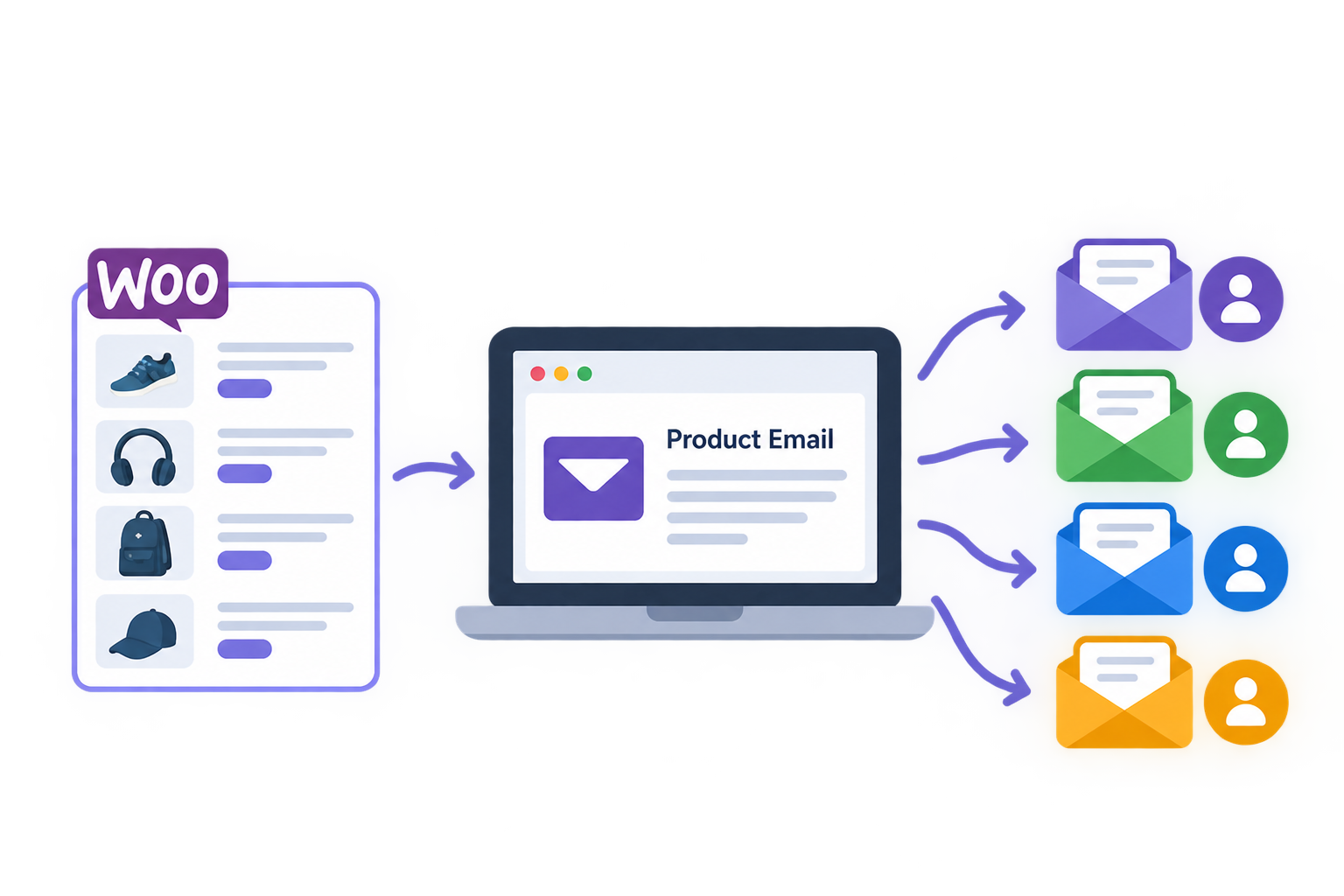
Send product specific instructions, follow ups and order information only when the right products are purchased. Add the content to an existing WooCommerce order email or send it as a separate message with its own timing and recipients.

No external account. No licence key.
HOW IT WORKS

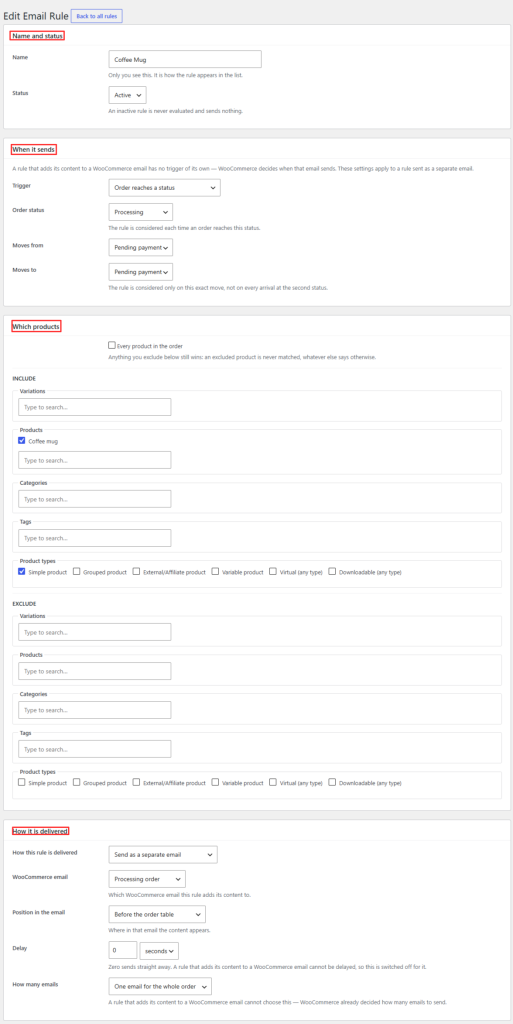
1. Go to WooCommerce → Product Emails and create a rule.

2. Choose the products to include or exclude.

3. Choose Insert or Separate, then complete the fields that belong to that mode.

4. Preview with a real order. Test a separate rule with the test send tool, or place a real test order for an insert rule.

5. Enable the rule and review its results in Delivery History.

REQUIREMENTS

  • WordPress

  • WooCommerce

  • PHP

  • InnoDB storage support in MySQL or MariaDB

Explicitly creates its tables with InnoDB.

If an earlier installation created them with MyISAM because of a host default, activation or update attempts to convert the plugin owned tables automatically.

If InnoDB is unavailable, the plugin remains safely disabled and records a clear diagnostic for the hosting provider.

Send the information each product needs

Product email rules list showing trigger, targeting, delivery mode and status

A general order email cannot always explain every item in the order. A downloadable product may need licence instructions.

A made to order item may need a lead time. A fragile product may need handling advice. A course may need onboarding steps.

Extonify Custom Emails Per Product for WooCommerce lets you create reusable rules for those situations without editing WooCommerce email templates.

  • Use it for:
  • Download, activation or licence instructions
  • Assembly, care or handling guidance
  • Warranty and product registration steps
  • Course, membership or onboarding information
  • Made to order lead times and next steps
  • Internal warehouse or fulfilment notices
  • Product specific refund or status follow ups

This plugin controls which product specific content is used and when a separate message is requested.

It is not a drag and drop email template designer.

Choose one of two delivery modes

  • Insert into a WooCommerce order email

Place the rule’s content inside a selected WooCommerce order email, so the recipient sees the product specific information in the message WooCommerce is already sending.

Choose where it appears:

  • Before the order table
  • After the order table
  • With the order details
  • With the customer details
  • Beside each matched product

The inserted content uses the selected WooCommerce email’s trigger, subject, heading and recipients.

The plugin leaves out targets it can prove do not show order details and marks some unverified targets with a warning.

  • Send a separate email

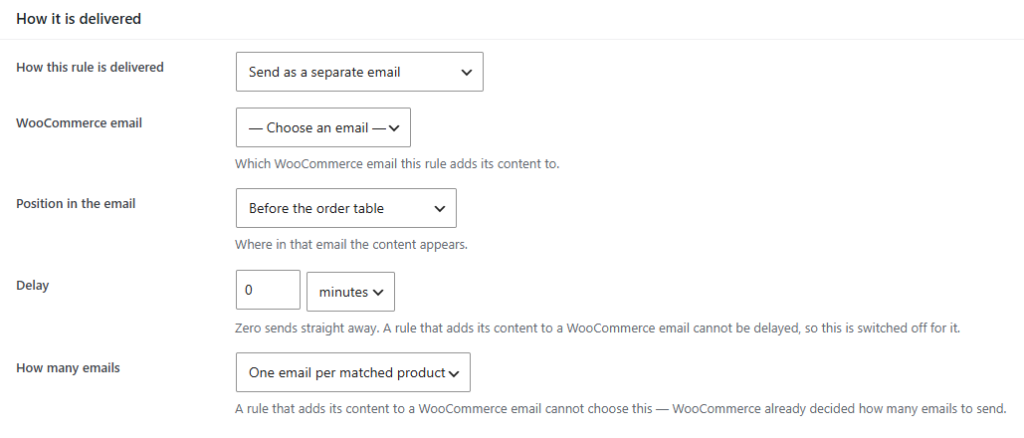
Create a standalone message with its own:

  • Subject and heading
  • To, Cc and Bcc recipients
  • Order trigger
  • Delivery delay
  • Choice of one message per order or one per matched product

One store can use both modes in different rules.

Target products precisely

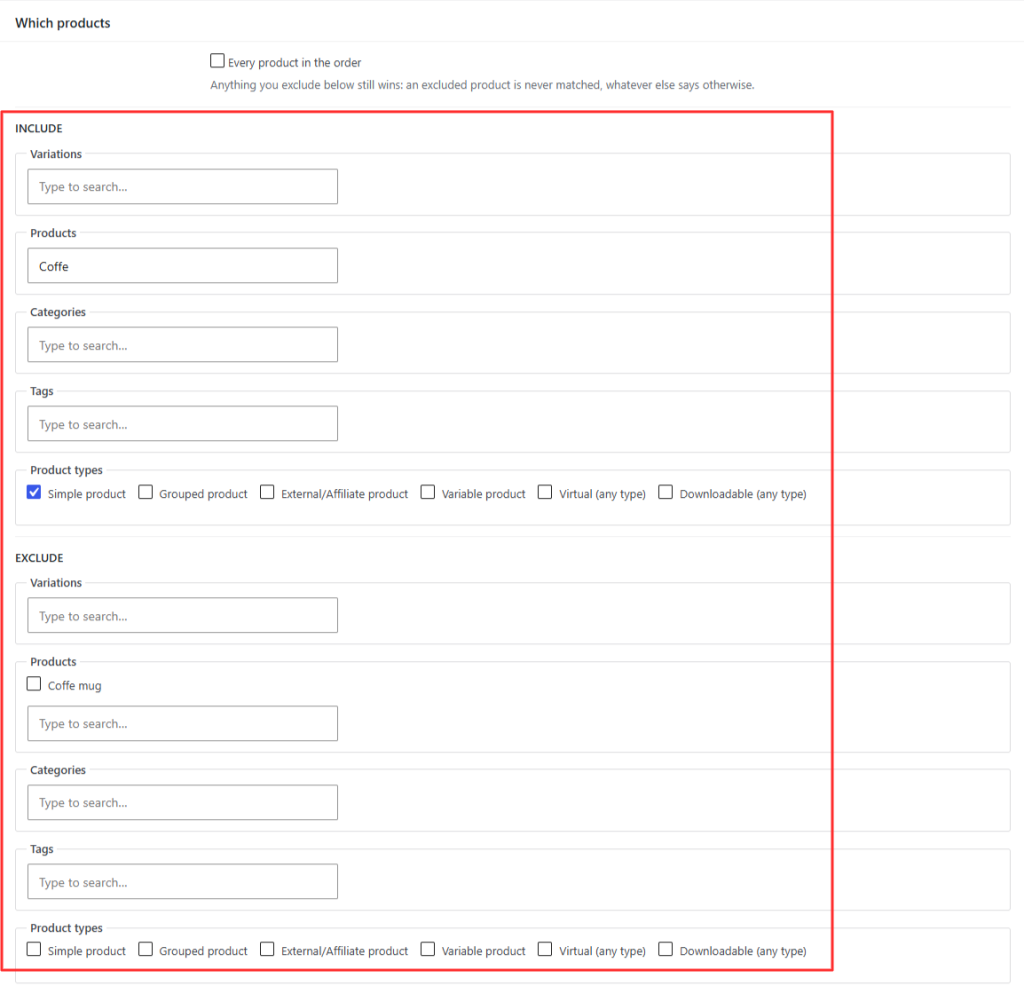
WooCommerce product email rule targeting products, categories, tags and exclusions
  • Target a rule by:
  • Individual products
  • Product variations
  • Categories
  • Tags
  • Product types available in the store

Each selector can include or exclude products. An order item matches when it meets any selected include, and a matching exclusion always wins.

You can also start with Every product in the order and then exclude exceptions for example, every item in Furniture except the flat pack range

When more than one rule applies, priority controls their order. A rule can also stop lower priority rules for the same event.

Send at the right order event

  • A separate email rule can run when:
  • an order reaches a selected status
  • an order moves from one exact status to another
  • an order is refunded in full or in part

Send immediately or wait seconds, minutes, hours or days. Delayed messages use Action Scheduler, WooCommerce’s background queue.

Before a queued message sends, the live rule and order are checked again. If the rule is disabled or no longer applies, the queued delivery is cancelled instead of using stale settings.

Inserted rules do not have their own trigger or delay. WooCommerce decides when the selected native email is sent.

Send one message per order or per product

Delivery mode, delay and email grouping options in the rule editor
  • If several products match the same separate email rule, choose:
  • One email for the order: one message can list all matched products
  • One email per matched product: each matched item gets its own rendered message

This makes the same rule suitable for a combined order summary or item specific instructions.

Choose the recipients

Separate emails support individual To, Cc and Bcc lists.

  • Add one recipient per line using:
  • Customer for the order billing email
  • Admin for the site administration email
  • A valid email address
  • {customer_email}
  • {store_email}

Duplicate addresses are resolved safely across recipient fields. At least one valid To recipient is required for a separate message to send.

Inserted rules do not choose recipients. Their content goes to the configured recipients of the WooCommerce email they join.

Personalize content with order data

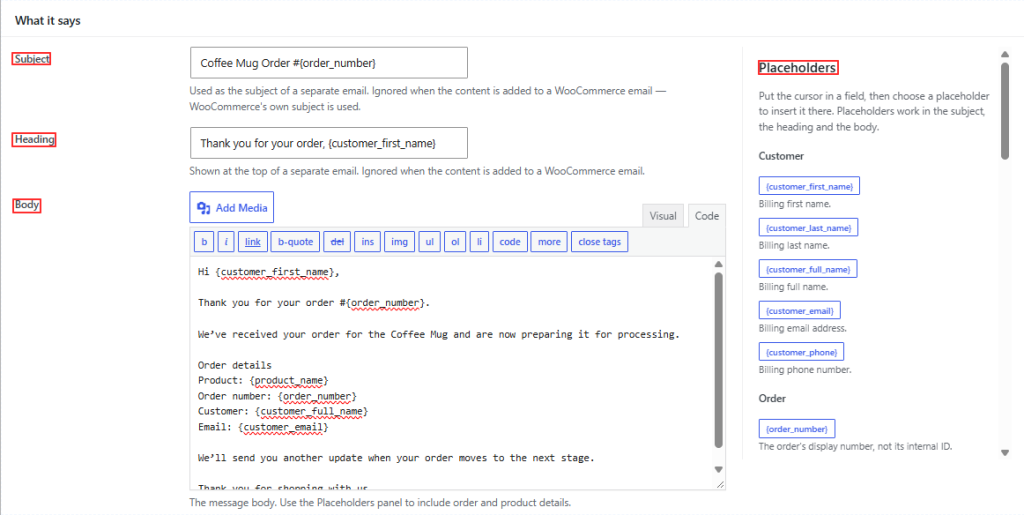
Email subject, heading and content fields beside the placeholder reference

Use placeholders in the message body and, for separate emails, in the subject and heading.

  • Available values cover:
  • Customer name, email and phone
  • Order number, date, status, total and payment method
  • Billing and shipping addresses
  • Store name and sender address
  • Matched product name, SKU, quantity and URL
  • Variation information
  • Every matched product as a list
  • Approved custom order or order line fields

The rule editor shows the placeholder reference beside the content fields. Private custom metadata is not exposed automatically a developer must explicitly allow the keys that are safe to use.

Preview and test responsibly

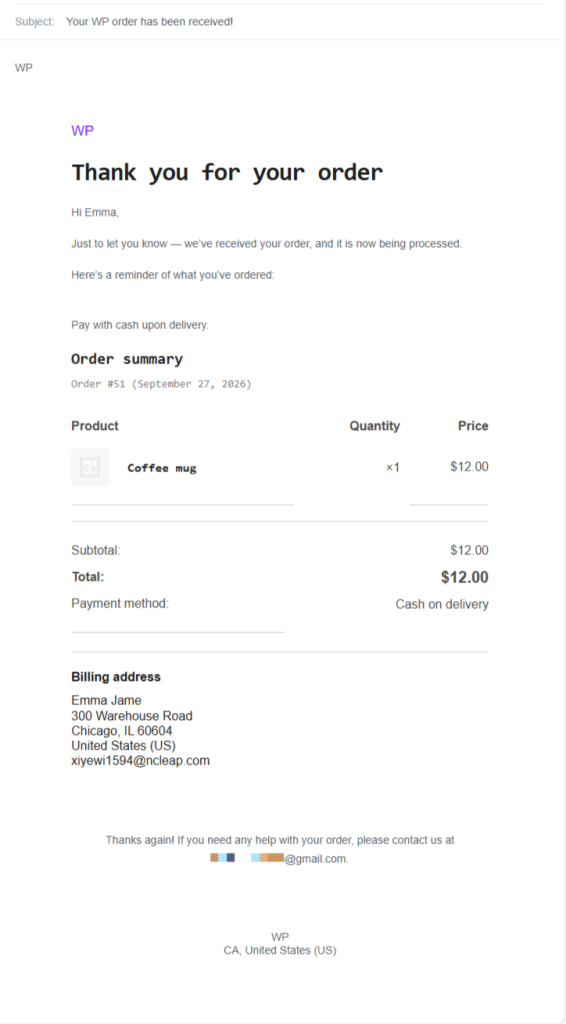
HTML email preview rendered from a real WooCommerce order

Preview a rule against a real order in both HTML and plain text. Preview does not write delivery records or send an email. For a one email per product rule, it shows a representative message and states how many messages the order would produce.

  • For a separate email rule

The test send tool sends the rendered message to the address you enter. It does not use the rule’s To, Cc or Bcc recipients, and it does not consume the future automatic delivery.

  • For an inserted rule

Use a real test order that triggers the selected WooCommerce email. The plugin’s separate email test send tool does not test insert delivery.

Theme overrides and third party email customizers can change WooCommerce’s template path, so a real test order is the final check before using an insert rule in production.

Review delivery history

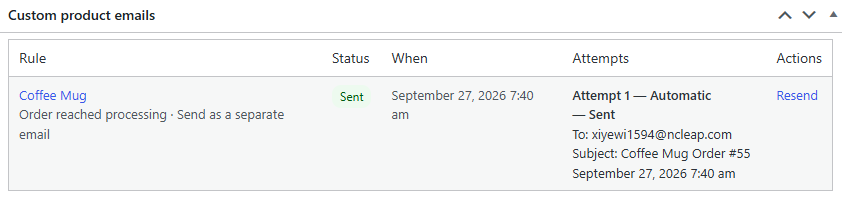
Custom product emails panel on a WooCommerce order screen
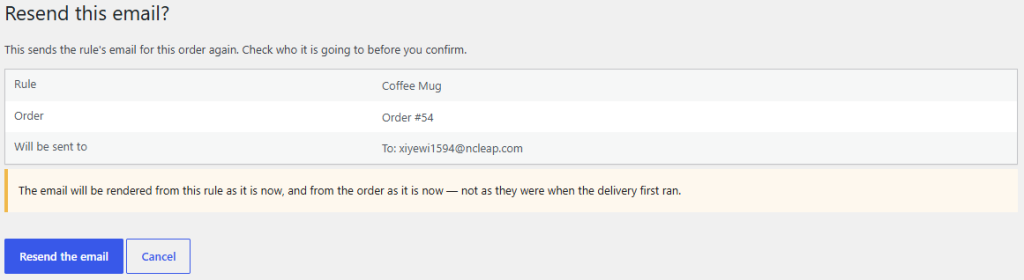
Manual email confirmation showing the rule, order and resolved recipients
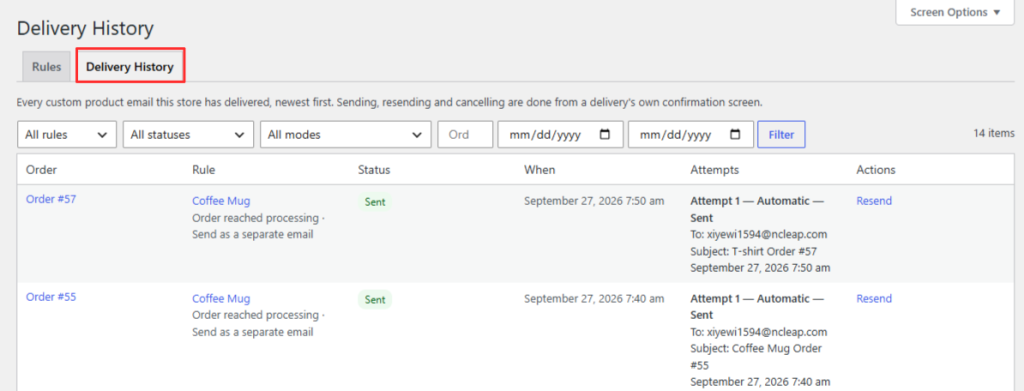
Product email delivery history with rule, order, status and outcomes
  • See delivery attempts that reach the plugin’s delivery pipeline:
  • Store wide under WooCommerce → Product Emails → History
  • On the individual WooCommerce order screen

History can show the rule, order, trigger, intended recipient, subject and outcome, including why an attempt was skipped, cancelled or failed.

A Sent result means the store’s WordPress mail system accepted the message for sending. It does not prove that a recipient’s mail provider placed it in the inbox.

Inbox delivery still depends on the store’s mail transport, DNS authentication and the recipient’s provider.

For eligible separate email rules, an authorised store manager can send on demand, resend a recorded message, send a queued message now or cancel it.

A confirmation screen identifies the order and resolved recipients before anything is sent.

Built for WooCommerce administration

  • Uses WooCommerce email templates for message rendering
  • Declares compatibility with High Performance Order Storage (HPOS)
  • Uses Action Scheduler for delayed deliveries
  • Stores rules and delivery history in plugin owned database tables
  • Supports WordPress personal data export and erasure
  • Makes database removal on uninstall an explicit opt in
  • Makes no external API call and requires no external service account
  • Ships under the GPLv2 or later licence

Compatibility with a particular theme override or third party email customizer should be verified on the store. Do not assume that every custom email template exposes the WooCommerce order details position used by insert mode.

FREQUENTLY ASKED QUESTIONS

Can I send a different WooCommerce email for each product?

Yes.

Target a rule by product, variation, category, tag or product type. Send one combined message for the order or a separate message for each matched product.

Does the customer receive two emails?

Only if you use a separate rule alongside WooCommerce’s normal email. Insert mode adds content to a selected WooCommerce order email and does not create an additional plugin email.

Can I send an email hours or days after an order?

Yes.

A separate rule can wait seconds, minutes, hours or days after its trigger. Delays are queued through Action Scheduler.

Can I email more than one recipient?

Yes.

Separate rules have To, Cc and Bcc lists. Use the customer or site admin token, safe recipient placeholders or literal email addresses.

Can I email an administrator or warehouse instead of the customer?

Yes.

A separate rule can use any valid address in its To, Cc or Bcc lists. Insert mode uses the recipients configured for the WooCommerce email it joins.

What if two rules match the same product?

Both can run. Use priority to control their order, and enable stop processing on a higher priority rule when lower priority rules should not continue for that event.

Can the same automatic message be sent twice for one order event?

The plugin records an automatic delivery identity for the order, rule, mode and trigger event so the same automatic delivery is not claimed twice. A deliberate manual send has its own identity and is recorded separately.

Can this plugin redesign WooCommerce email templates?

No.

It adds product specific content and sends product specific messages using WooCommerce’s email layout. Use a dedicated email design tool if you need a visual template builder.

Will it work with my email customizer or theme override?

It uses the active WooCommerce template path, but third party customizers and theme overrides vary. Preview the rule, then verify an insert rule with a real test order before enabling it on a live store.

How do I test a rule?

Preview either mode against a real order. A separate rule also has a test send tool that uses an address you choose. To test an inserted rule, place a real test order that triggers the selected WooCommerce email.

Does “Sent” guarantee inbox delivery?

No. It means the message was accepted by the store’s WordPress mail layer. Use a properly configured SMTP or transactional mail service and check its logs when inbox delivery matters.

Does it support HPOS?

Yes.

The plugin declares HPOS compatibility and has been tested with HPOS enabled.

Is the plugin free?

Free and open source. It contains no licence key, paid tier or upgrade only feature path.

Is it fully translatable?

The interface includes a translation template. Some free text delivery diagnostics remain English only completing those strings is planned for a later release.

What happens to data when I uninstall it?

Rules and delivery history are kept by default. Database removal is opt in. Delivery details also participate in WordPress personal data export and erasure.